
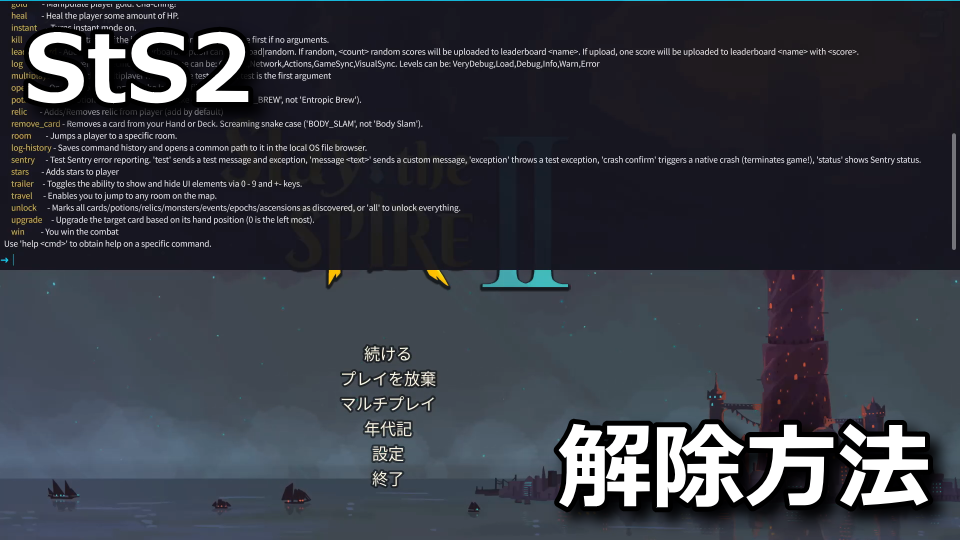
対応するキーから起動してコマンドを入力することにより、ゲーム内の設定を変更できるコンソール。
今回の記事では「Slay the Spire 2」のファイルを編集し、コンソールを有効化する方法を解説します。
簡単にコンソールを使う方法
簡単にコンソールを使う方法は、つい最近まで「DevConsole」を利用することでした。
このMOD内にある「sts2.dll」を「data_sts2_windows_x86_64」に移動するだけで、コンソールが使えました。
-

-
DevConsole
続きを見る

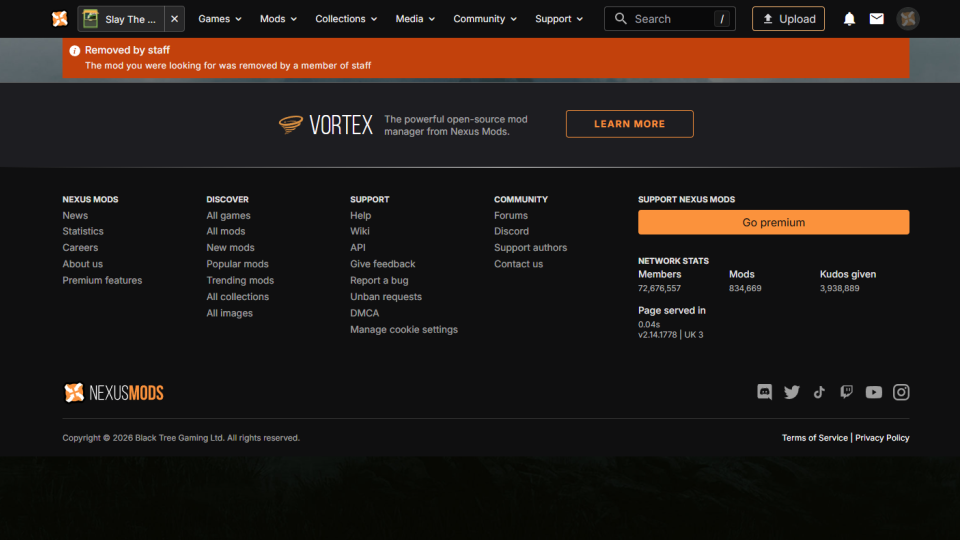
しかし現在は『Removed by staff』と表示され、ダウンロードできなくなっています。
コンソールを利用する準備
MODを利用せずコンソールを利用するには、Slay the Spire 2に関連する「settings.save」を編集します。
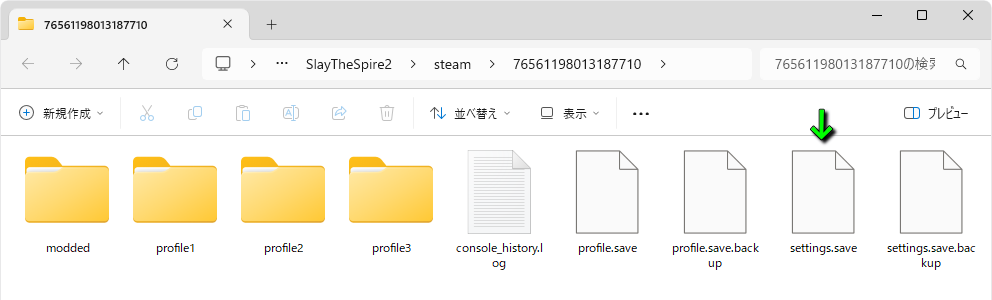
settings.saveのインストール先は、例として下記のディレクトリです。
C:\Users\ユーザー名\AppData\Roaming\SlayTheSpire2\steam\数字(steamID)
もし見当たらない場合は、検索ソフト「Everything」を利用するなどして「settings.save」を見つけます。
-
-
Everything
続きを見る

settings.saveを見つけたら、テキストエディタで開きます。
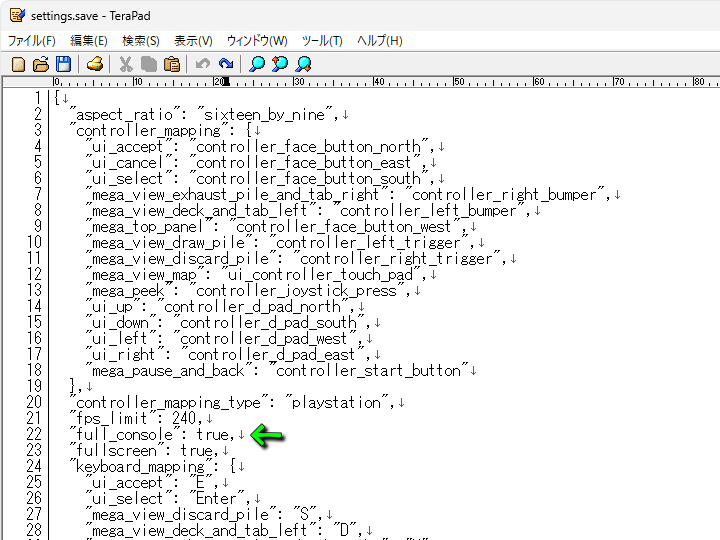
これがsettings.saveをテキストエディタで開いた状態です。
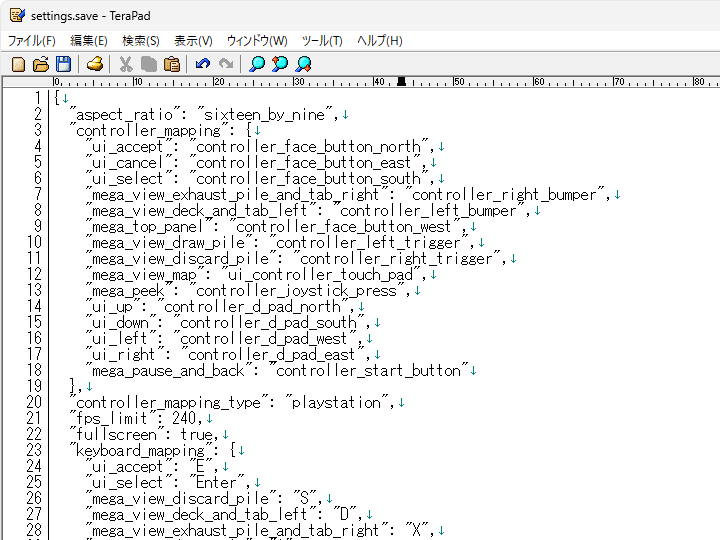
このsettings.saveの任意の位置に「"full_console": true,」を入力して保存します。
コンソールを利用する方法
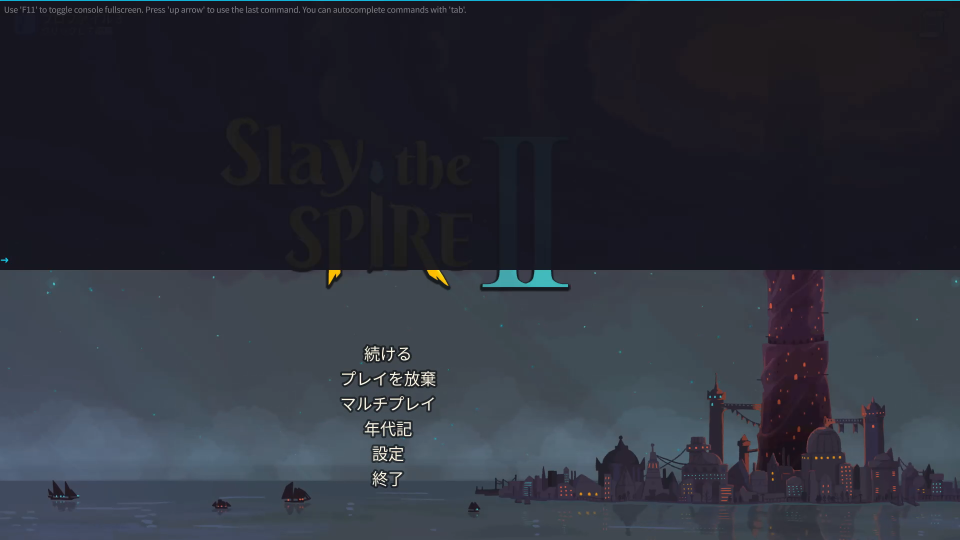
settings.saveを編集したら、Slay the Spire 2を起動します。

Slay the Spire 2が起動したら「Shift + 8」を押すと、目的のコンソールが起動します。
コンソールコマンドの確認方法
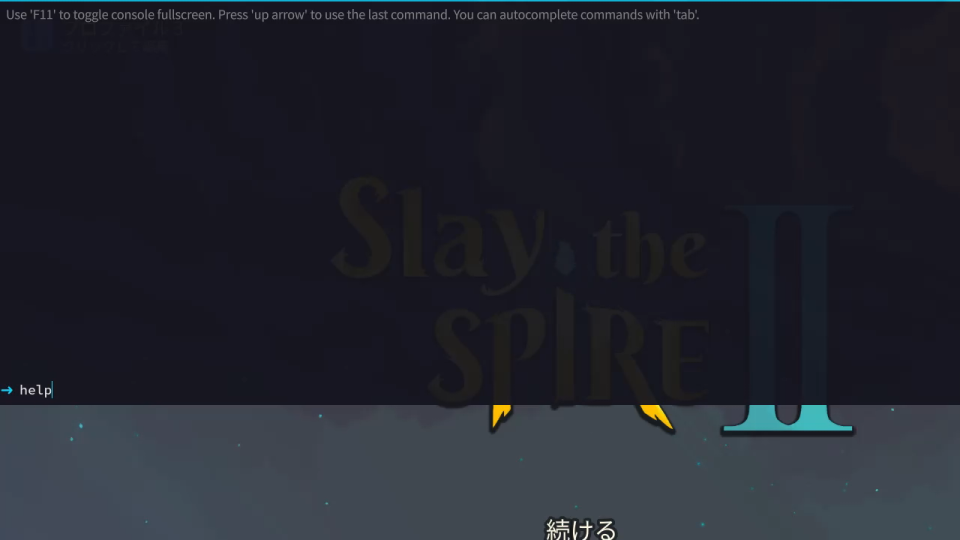
コンソールコマンドを確認するには、コンソールを起動して「help」と入力します。
コンソールコマンドが表示されたら、画面を上にスクロールします。
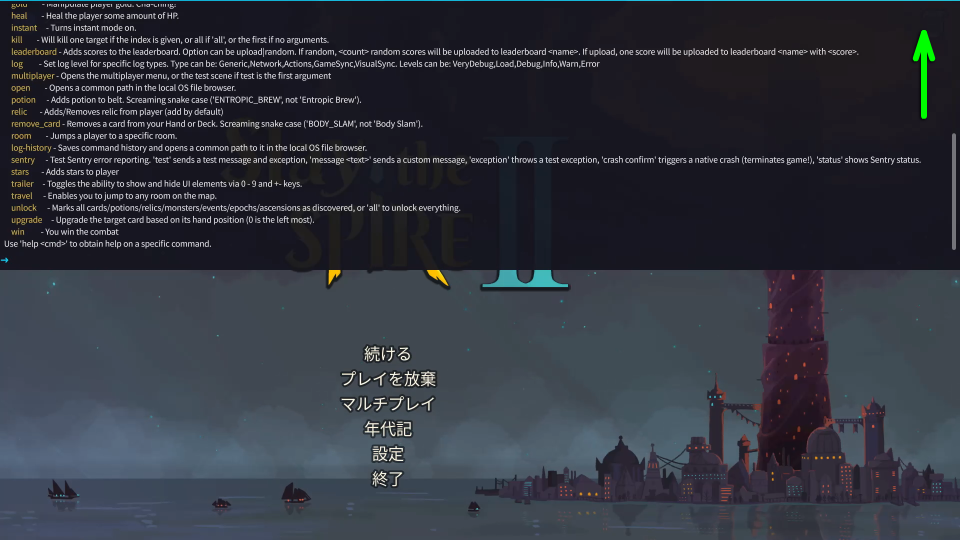
するとaから始まる、コンソールコマンドの最初から確認できます。
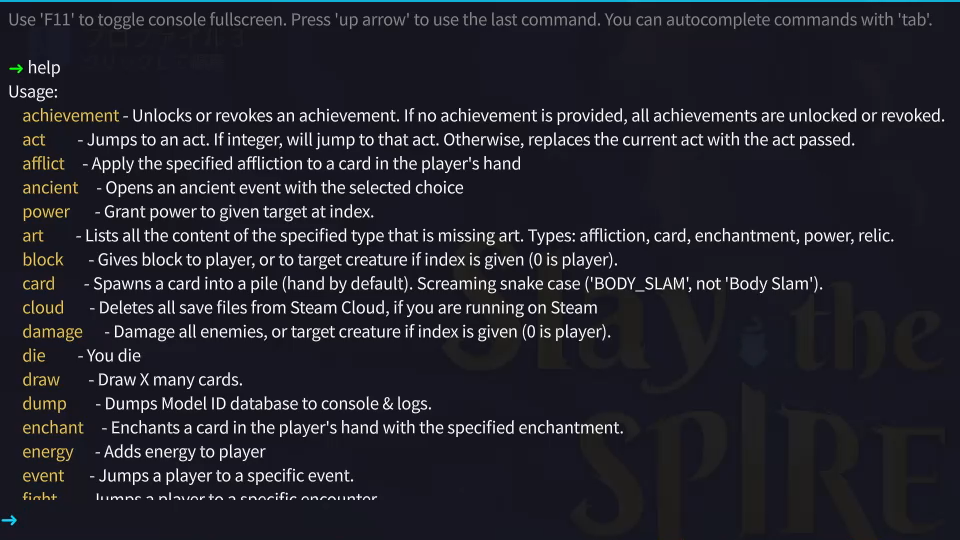
補足として「F11」を押すと、非表示だった部分が拡大されて見やすくなります。
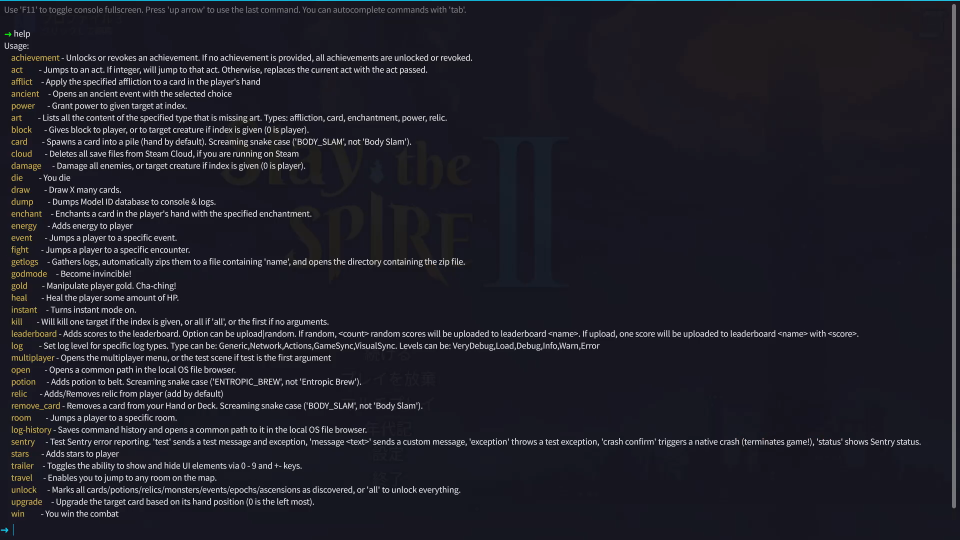
コンソールコマンドの一覧
記事作成時点で確認できた「コンソールコマンド」の一覧です。
ただし翻訳に自身がないため、正確な情報は後述する「コンソールコマンド原文」を確認してください。
また右下のフォームに「任意の文字列」を入力すると、その文字が含まれる行のみ検索できます。
| コマンド | 効果 |
|---|---|
| achievement | 指定した実績を解除する 指定しない場合はすべて解除する |
| act | 指定した階層に移動する |
| afflict | 手札のカードに指定した状態異常を付与する |
| ancient | 指定した選択肢で古代イベントを開始する |
| power | 指定したパワーを有効化する |
| art | 指定したコンテンツの中から、アートがないものをリスト化する 対象:状態異常、カード、エンチャント、パワー、レリック |
| block | プレイヤーにブロックを付与する 指定した場合は、対象にブロックを付与する |
| card | 指定したカードを手札、または山札に生成する |
| cloud | Steamでゲームを実行している場合、クラウド上のセーブデータを削除する |
| damage | すべての敵にダメージを与える 指定した場合は、対象にダメージを与える |
| die | 死亡する |
| draw | X枚のカードをドローする |
| dump | 「Model ID database」をコンソールとログに出力する |
| enchant | 手札のカードに指定したエンチャントを付与する |
| energy | プレイヤーにエネルギーを追加する |
| event | プレイヤーを特定のイベントに移動する |
| fight | プレイヤーを特定の戦闘に移動する |
| getlogs | ログを収集して「name」をファイルに自動的に圧縮する さらにその圧縮ファイルを含むディレクトリを開く |
| godmode | 無敵になる |
| gold | プレイヤーのゴールドを操作する |
| heal | プレイヤーのHPを一定量回復する |
| instant | インスタントモードを有効化する |
| kill | 指定した対象をキルする 指定しない場合は最初の敵をキルする 「all」ですべてをキルする |
| leaderboard | スコアをリーダーボードに追加する 「random」は 「upload」は1つのスコアが |
| log | 下記に示した特定のログタイプ、またはログレベルを設定する Type:Generic、Network、Actions、GameSync、VisualSync Level:VeryDebug、Load、Debug、Info、Warn、Error |
| multiplayer | マルチプレイヤーメニューを開く |
| open | ローカルOSのファイルブラウザで共通パスを開く |
| potion | 指定したポーションを追加する |
| relic | 指定したレリックを追加、または削除する |
| remove_card | 手札やデッキから指定したカードを削除する |
| room | プレイヤーを特定の部屋に移動する |
| log - history | コマンド履歴を保存し、ローカルOSのファイルブラウザで共通パスを開く |
| sentry | Sentryのエラー報告をテストする 「test」はテストメッセージを例外を送信する 「message 「exception」はテストの例外を適用する 「crash confirm」はクラッシュを再現する(ゲーム終了) 「status」はSentryの状態を表示する |
| stars | プレイヤーにスターを付与する |
| trailer | 0 ~ 9キーと+-キーを使用して、UIの表示を切り替える |
| travel | マップ上の任意の場所へ移動する |
| unlock | カードやポーション、レリックなどを解除する 「all」ですべて解除する |
| upgrade | 対象のカードを、手札の位置を指定してアップグレードする |
| win | 戦闘に勝利する |
コンソールコマンドの原文
参考用に「コンソールコマンド」の原文をまとめました。
Use 'F11' to toggle console fullscreen. Press 'up arrow' to use the last command. You can autocomplete commands with 'tab'.
→ help
Usage:
achievement - Unlocks or revokes an achievement. If no achievement is provided, all achievements are unlocked or revoked.
act - Jumps to an act. If integer, will jump to that act. Otherwise, replaces the current act with the act passed.
afflict - Apply the specified affliction to a card in the player's hand.
ancient - Opens an ancient event with the selected choice.
power - Grant power to given target at index.
art - Lists all the content of the specified type that is missing art. Types: affliction, card, enchantment, power, relic.
block - Gives block to player, or to target creature if index is given (0 is player).
card - Spawns a card into a pile (hand by default). Screaming snake case ('BODY_SLAM', not 'Body Slam').
cloud - Deletes all save files from Steam Cloud, if you are running on Steam
damage - Damage all enemies, or target creature if index is given (0 is player).
die - You die
draw - Draw X many cards.
dump - Dumps Model ID database to console & logs.
enchant - Enchants a card in the player's hand with the specified enchantment.
energy - Adds energy to player.
event - Jumps a player to a specific event.
fight - Jumps a player to a specific encounter.
getlogs - Gathers logs, automatically zips them to a file containing 'name', and opens the directory containing the zip file.
godmode - Become invincible!
gold - Manipulate player gold. Cha - ching!
heal - Heal the player some amount of HP.
instant - Turns instant mode on.
kill - Will kill one target if the index is given, or all if 'all', or the first if no arguments.
leaderboard - Adds scores to the leaderboard. Option can be upload|random. If random,
log - Set log level for specific log types. Type can be: Generic, Network,Actions,GameSync,VisualSync. Levels can be: VeryDebug, Load,Debug, Info,Warn,Error.
multiplayer - Opens the multiplayer menu, or the test scene if test is the first argument.
open - Opens a common path in the local OS file browser.
potion - Adds potion to belt. Screaming snake case ('ENTROPIC_BREW', not 'Entropic Brew').
relic - Adds/Removes relic from player (add by default)
remove_card - Removes a card from your Hand or Deck. Screaming snake case ('BODY_SLAM', not 'Body Slam').
room - Jumps a player to a specific room.
log - history - Saves command history and opens a common path to it in the local OS file browser.
sentry - Test Sentry error reporting. 'test' sends a test message and exception, 'message
stars - Adds stars to player.
trailer - Toggles the ability to show and hide UI elements via 0 - 9 and +-keys.
travel - Enables you to jump to any room on the map.
unlock - Marks all cards/potions/relics/monsters/events/epochs/ascensions as discovered, or 'all' to unlock everything.
upgrade - Upgrade the target card based on its hand position (0 is the left most).
win - You win the combat.
カードを全解除する方法
ちなみに「カードを全解除する方法」は、別記事で詳しく解説しています。
-
-
【Slay the Spire 2】カードを全解除する方法【コンソール】
ゲームを繰り返すことで年代記をアンロックしていく、カードゲームのSlay the Spire 2(スレスパ2:StS2)
今回の記事では「コンソールコマンド」を利用し、カードを含めた全ての要素を解除する方法を解説します。続きを見る

関連記事
 【Slay the Spire 2】画面の見方
 【Slay the Spire 2】実験体の攻略方法【霊体】
 【Slay the Spire 2】おすすめ設定
 【Slay the Spire 2】ベータ版でプレイする方法
 【Slay the Spire 2】ディフェクトのカード【効果】
 【Slay the Spire 2】ネクロバインダーのカード【効果】
 【Slay the Spire 2】リージェントのカード【効果】
 【Slay the Spire 2】カードを全解除する方法【コンソール】
 【Slay the Spire 2】サイレントのカード【効果】
 【Slay the Spire 2】MODを使う方法【Vortex】